Introduction
If you own a car or motorcycle in Punjab, checking your vehicle’s registration details and tax status can save you time and unnecessary visits to an Excise office.
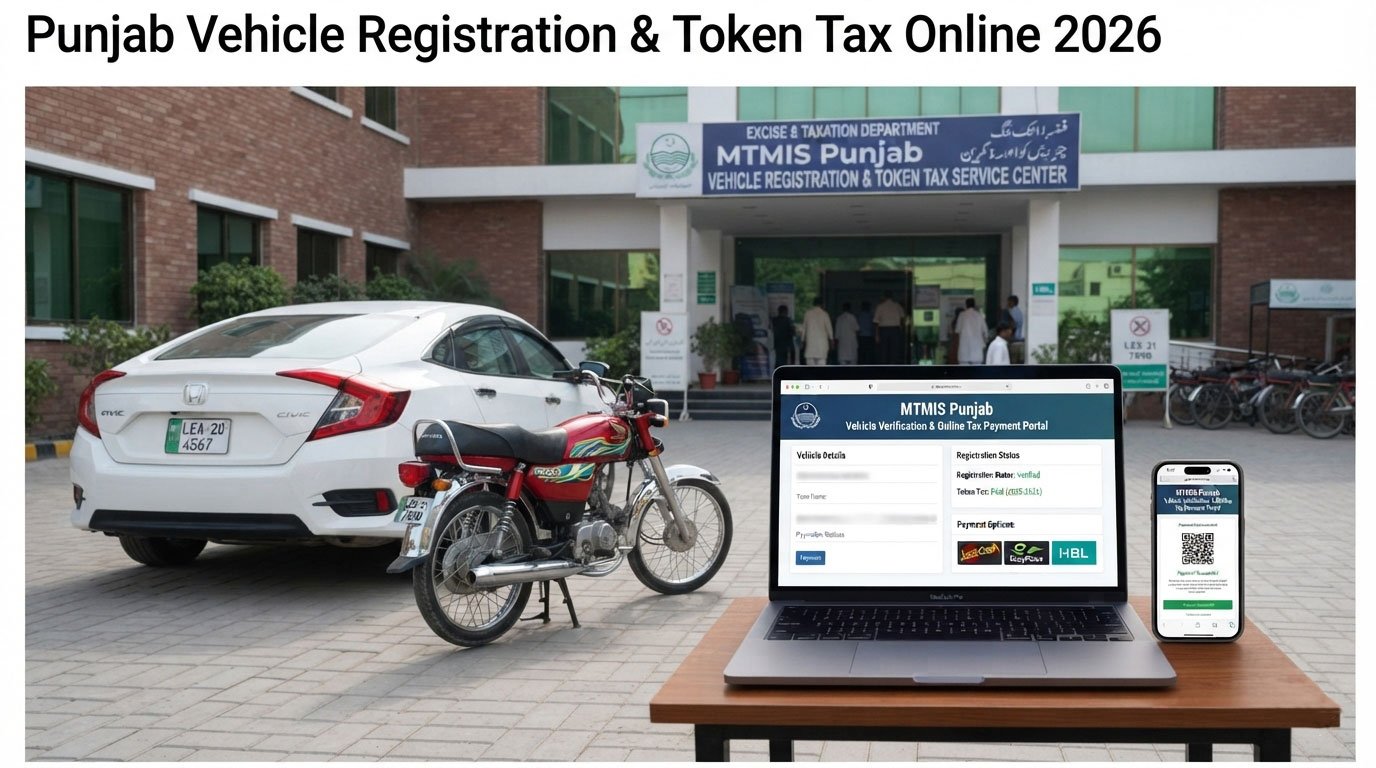
The Punjab Excise & Taxation Department provides online services for registered vehicle verification, while ePay Punjab provides a digital way to pay government taxes and other dues. The official Excise website lists Online Verification of Registered Vehicles and Online Payment of Excise Dues among its services.
In this guide, you will learn how to check Punjab vehicle registration information online, understand MTMIS, check and pay token tax through ePay Punjab, and find out what to do if your vehicle information does not appear correctly.
What Is MTMIS Punjab?
MTMIS stands for Motor Transport Management Information System.
It is part of Punjab’s computerized motor vehicle registration system. The system maintains centralized vehicle information and supports online verification of registered vehicles. PITB explains that the motor vehicle registration database was centralized across Punjab and that online verification of vehicles is available through the Excise & Taxation Department.
The online verification service can be useful when:
- Checking a vehicle before purchasing it
- Verifying registration information
- Confirming basic vehicle details
- Checking information related to a registered vehicle
- Reviewing vehicle records before completing a transaction
How to Check Punjab Vehicle Registration Online
You can use the Punjab Excise & Taxation Department’s online vehicle verification service.
Step 1: Open the Official Excise Website
Visit the official Punjab Excise & Taxation Department website.
Look for the Online Verification of Registered Vehicles service.
The department currently lists the MTMIS service at:
mtmis.excise.punjab.gov.pk
The official Excise website identifies this as its online registered-vehicle verification service.
Step 2: Enter Your Vehicle Registration Number
Open the vehicle verification service and enter the required registration information.
Make sure the registration number is entered correctly.
Depending on the system and vehicle record, the service may display available information associated with the registration.
Step 3: Review the Vehicle Information
After submitting the information, carefully review the displayed record.
Depending on the available record, information may include details related to:
- Vehicle registration
- Vehicle make or model
- Engine information
- Chassis information
- Registration status
- Ownership-related information
- Tax-related information
The exact information displayed can depend on the vehicle record and the department’s current online system.
How to Check and Pay Token Tax Online in Punjab
Punjab also provides online facilities for motor vehicle tax.
The ePay Punjab system was developed to make government payments easier and allows citizens to pay taxes and other government dues electronically. PITB specifically lists Vehicle Token Tax among the services supported by its e-Payment Gateway.
Step 1: Open ePay Punjab
Visit the official ePay Punjab website or use the official ePay Punjab application.
Step 2: Select the Relevant Vehicle Tax Service
Choose the option related to Excise & Taxation or Motor Vehicle Token Tax.
The available menu names may change as the system is updated.
Step 3: Enter the Required Vehicle Information
Provide the information requested by the system.
This may include vehicle-related details needed to retrieve your tax record.
Step 4: Review the Amount
Before making a payment, check the amount shown by the system.
Do not rely on an old tax amount found on social media or unofficial websites because motor vehicle tax rates can change.
Step 5: Generate the Payment Reference
ePay Punjab can generate a payment reference/PSID for government payments. PITB has explained that ePay Punjab supports electronic payment channels for government taxes and generates a unique PSID for payments.
Step 6: Complete the Payment
Follow the available payment instructions.
Depending on the available options, ePay Punjab supports multiple electronic payment channels.
After completing the payment, keep the payment receipt or transaction information for your records.
What Is Token Tax?
Token tax is a motor vehicle tax collected by the provincial government.
The Punjab Excise & Taxation Department publishes motor vehicle tax rates and related fees on its official website. The rates can vary according to vehicle type, engine capacity, invoice value and other applicable factors.
For example, the department’s current 2026–27 table contains different motor vehicle tax rates for motorcycles and different engine-capacity categories of motor cars.
Because tax rules and rates can change, vehicle owners should check the official Excise information before making a payment.
Punjab Vehicle Token Tax Rates in 2026
There is no single token-tax amount for every vehicle.
The applicable amount can depend on factors such as:
- Vehicle type
- Engine capacity
- Invoice value
- Registration status
- Applicable tax category
- Filer/non-filer status where relevant
- Government rules applicable to the vehicle
The Punjab Excise Department’s current motor vehicle tax page provides the applicable categories and rates for 2026–27.
For this reason, it is better to use the official tax system rather than relying on an unofficial fixed-rate list.
Is There a Discount on Token Tax?
Punjab Excise has previously announced rebates for timely payment of annual motor vehicle token tax.
The department’s official information states that a 10% rebate on annual token tax is allowed when the tax for the whole year is paid on or before 31 August of the financial year.
However, deadlines and government notifications can change.
Before making a payment, always check the latest announcement on the official Punjab Excise website.
How to Verify a Vehicle Before Buying It
If you are planning to purchase a used car or motorcycle, online verification should be one part of your due diligence.
Before paying the seller, consider checking:
1. Registration Number
Make sure the registration number matches the vehicle documents.
2. Chassis Number
Compare the chassis number on the vehicle with the official documents and available record.
3. Engine Number
Check that the engine information matches the documentation.
4. Ownership Information
Review the available ownership information and ask the seller for the original documents.
5. Tax Status
Check whether there are outstanding tax-related issues.
6. Physical Inspection
Online verification does not replace a physical inspection.
For an expensive purchase, consider having the vehicle inspected by a qualified mechanic.
What If MTMIS Does Not Show My Vehicle?
Sometimes an online record may not appear as expected.
Possible reasons can include:
- Incorrect registration number
- Recently completed registration or transfer
- Database update delay
- Data-entry issue
- Record not being available online
- Technical problem with the website
First, carefully recheck the registration number.
If the problem continues, contact the Punjab Excise & Taxation Department through its official channels rather than relying on unofficial agents.
The Punjab Excise website currently provides a helpline and online complaint/suggestion facility.
Can I Pay Token Tax Without Visiting the Excise Office?
In many cases, yes.
Punjab’s ePay system was introduced to allow citizens to make government payments electronically, including motor vehicle token tax. PITB states that ePay Punjab provides online payment facilities for token tax.
This can help vehicle owners avoid unnecessary trips to government offices when the required service is available online.
However, some registration, ownership-transfer or document-related matters may still require additional procedures.
MTMIS vs ePay Punjab: What Is the Difference?
Many people confuse these two services.
| Service | Main Purpose |
|---|---|
| MTMIS / Vehicle Verification | Check registered vehicle information |
| ePay Punjab | Pay government taxes and other dues |
| Excise Website | Access official vehicle, tax and department services |
In simple terms:
MTMIS = Vehicle information and verification
ePay Punjab = Online government payments
Both are useful for vehicle owners in Punjab.
Important Tips for Vehicle Owners
Keep these points in mind when checking or paying vehicle taxes online:
- Use official government websites.
- Double-check your registration number.
- Do not share OTPs or banking passwords with anyone.
- Save your payment receipt.
- Keep your vehicle documents safe.
- Check the latest tax rates before payment.
- Do not rely on screenshots from social media for current tax information.
- When buying a used vehicle, verify the physical vehicle against its documents.
- If an online record appears incorrect, contact Excise rather than paying an unofficial agent.
Frequently Asked Questions
How can I check my Punjab vehicle registration online?
You can use the Punjab Excise & Taxation Department’s online registered-vehicle verification service through the MTMIS system. The official department website provides the vehicle verification service.
How can I pay Punjab token tax online?
Punjab vehicle token tax can be paid through ePay Punjab. The system provides an online payment facility for government taxes, including vehicle token tax.
What is MTMIS?
MTMIS stands for Motor Transport Management Information System. It is associated with Punjab’s computerized motor vehicle registration and verification system.
Is MTMIS available for Punjab vehicles?
Yes. Punjab Excise provides an online registered-vehicle verification service through the MTMIS system.
Can I check a used car before buying it?
Yes. Online vehicle verification can help you review available registration information before purchasing a used vehicle. However, online verification should be combined with document checking and a physical inspection.
Can I pay token tax from home?
Yes, where the relevant online service is available for your vehicle, ePay Punjab allows citizens to pay vehicle token tax electronically.
Does every vehicle have the same token tax?
No. The applicable tax can vary according to the vehicle category and other factors. Punjab Excise publishes different rates for different vehicle categories.
What should I do if my vehicle record is incorrect?
Recheck the information entered first. If the record still appears incorrect, contact the Punjab Excise & Taxation Department through its official complaint or contact channels.
Final Thoughts
Checking vehicle registration and token tax online can make vehicle ownership easier and reduce unnecessary visits to government offices.
For Punjab vehicle owners, the important thing to remember is:
Use MTMIS for vehicle verification and ePay Punjab for online government payments.
Before purchasing a used vehicle, verify its available online record, compare the information with the original documents and inspect the vehicle physically.
For tax payments, always check the latest information from the Punjab Excise & Taxation Department because rates, deadlines and government policies can change.
Official References
- Punjab Excise & Taxation Department – Online Verification of Registered Vehicles
- Punjab Excise & Taxation Department – Motor Vehicle Tax
- Punjab Excise & Taxation Department – Services
- Punjab Information Technology Board – e-Payment Gateway
- Punjab Information Technology Board – ePay Punjab
- Punjab Information Technology Board – Motor Transport Management Information System
Suggested Internal Links for FirstClick
- How to Check PTA Mobile Registration Status in Pakistan (2026)
- How to Check Passport Application Status in Pakistan 2026
- How to Check Electricity Bill Online in Pakistan 2026
About the Author