Checking your gas bill online can save time and help you avoid waiting for a printed bill to arrive at your home. In Pakistan, gas customers can use the online services provided by their respective gas distribution companies to view or obtain their bills.
The two major gas distribution companies are Sui Northern Gas Pipelines Limited (SNGPL) and Sui Southern Gas Company Limited (SSGC).
If you are not sure how to check your gas bill online, this guide explains the process for both companies, what information you need, and what to do if you cannot find your bill.
Which Gas Company Serves Your Area?
Before checking your bill online, you need to know which gas company provides service in your area.
SNGPL
Sui Northern Gas Pipelines Limited (SNGPL) mainly serves customers in northern and central areas of Pakistan.
Its service areas include several regions of Punjab, Khyber Pakhtunkhwa, and other areas covered by the company.
SSGC
Sui Southern Gas Company (SSGC) mainly serves customers in Sindh and Balochistan.
Your gas bill will normally show the name of the company providing your gas connection.
How to Check SNGPL Gas Bill Online
SNGPL provides online services through its official website.
Step 1: Visit the Official SNGPL Website
Open the official SNGPL website:
sngpl.com.pk
Always make sure you are using the official SNGPL website before entering your consumer information.
Step 2: Find the Online Bill Option
Look for the option related to Bill Information, Consumer Bill, or online bill services.
The website design and location of online services may change as SNGPL updates its portal.
Step 3: Enter Your Consumer Number
Enter your SNGPL consumer number when requested.
Your consumer number can normally be found on an older SNGPL gas bill.
Make sure you enter the number correctly.
Step 4: Submit the Request
Complete any verification shown on the website and submit the request.
If your information matches the SNGPL record, the available bill information should appear.
You can then view the bill and, where available, download or print it.
How to Find Your SNGPL Consumer Number
If you have an old SNGPL bill, look for the consumer number in the customer or billing information section.
The exact position can vary depending on the bill format.
If you cannot find your consumer number, contact SNGPL through its official customer service channels.
Do not use an unofficial website simply because it claims to find your consumer number.
How to Check SSGC Gas Bill Online
SSGC customers can use the official SSGC website to access available billing services.
Step 1: Open the SSGC Website
Visit:
ssgc.com.pk
Use the official SSGC website rather than third-party bill-checking websites.
Step 2: Open the Bill or Customer Services Section
Look for the online bill, customer services, or billing-related option.
The exact name and location of the service may change when SSGC updates its website.
Step 3: Enter Your Required Information
Enter the customer or account information requested by the official SSGC system.
This information can normally be found on your previous SSGC bill.
Step 4: View Your Bill
Submit the information and follow the instructions displayed on the website.
If your record is available, you should be able to view the relevant billing information.
What Information Do You Need to Check a Gas Bill?
The information required can vary depending on your gas company and its online service.
You may need:
- Consumer number
- Customer number
- Account number
- Connection information
- Other details shown on your previous bill
Keep an old gas bill nearby when checking your current bill for the first time.
What Information Is Shown on a Gas Bill?
A gas bill can contain several important details, including:
- Consumer information
- Billing month
- Meter reading
- Previous meter reading
- Current meter reading
- Gas consumption
- Amount payable
- Due date
- Previous balance
- Adjustments or charges
- Payment status
The exact bill format depends on the gas company and the customer’s connection.
How to Download a Gas Bill
If the official online system provides a downloadable bill option, you can save the bill as a PDF or print it.
This can be useful if you need a copy for:
- Record keeping
- Payment
- Documentation
- Address verification
- Personal accounts
Save downloaded bills in a secure location if they contain personal information.
How to Check if Your Gas Bill Has Been Paid
The online system may provide payment or billing status depending on the service available for your account.
You can also check your bank, mobile wallet, or payment receipt if you previously paid the bill electronically.
If your payment does not appear to have been updated, keep your payment receipt and contact the relevant gas company.
What If My Gas Bill Is Not Showing Online?
There are several reasons why an online bill may not appear.
1. Incorrect Consumer Number
Check the number carefully against an old bill.
2. Wrong Gas Company
Make sure you are using SNGPL if your connection is with SNGPL, or SSGC if your connection is with SSGC.
3. Website Temporarily Unavailable
Government and utility websites can sometimes experience technical problems.
Try again later if the service is temporarily unavailable.
4. Recent Billing Information
If a new bill has recently been generated, the online system may take some time to update.
5. Account Issue
If your information remains unavailable, contact the relevant gas company through its official customer support channels.
Can I Check My Gas Bill Without the Printed Copy?
Yes, if you already know the consumer or customer information required by your gas company’s online system.
If you do not know the number, check an older bill, account documents, or contact the gas company’s official support service.
Can I Check My Gas Bill on a Mobile Phone?
Yes. You can use a smartphone browser to access the official SNGPL or SSGC website.
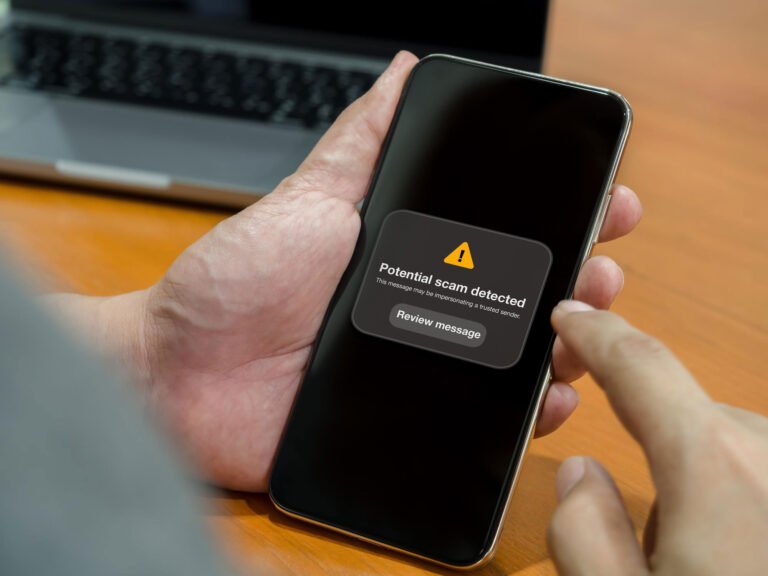
For security, type the official website address into your browser instead of clicking unknown links received through SMS, WhatsApp, email, or social media.
How to Pay Your Gas Bill Online
After checking your bill, you can use the payment options supported by your bank, mobile wallet, or other authorized payment service.
Before making a payment, confirm:
- Consumer/account number
- Billing month
- Amount payable
- Due date
Always keep the payment confirmation or receipt.
What Happens If You Miss the Gas Bill Due Date?
If a bill is not paid by the due date, additional charges or other consequences may apply according to the applicable billing rules and your gas company’s policies.
The amount and applicable charges can vary, so check your current bill and the official company information for the latest details.
If you are having difficulty paying a bill, contact the gas company through its official customer service channels.
SNGPL vs SSGC Gas Bill
| Feature | SNGPL | SSGC |
|---|---|---|
| Company | Sui Northern Gas Pipelines Limited | Sui Southern Gas Company |
| Main service regions | Northern/Central Pakistan | Sindh & Balochistan |
| Online bill service | Available through official services | Available through official services |
| Consumer information | Required | Required |
| Official website | sngpl.com.pk | ssgc.com.pk |
Always use the website of the company that provides your gas connection.
Safety Tips When Checking Your Gas Bill Online
Be careful when using online bill-checking services.
- Use the official SNGPL or SSGC website.
- Check the website address before entering your information.
- Do not share your online banking password.
- Do not share OTP codes with anyone.
- Avoid suspicious payment links.
- Do not give your card details to an unknown website.
- Keep your payment receipt.
- Use official customer support if there is a problem.
Frequently Asked Questions
How can I check my gas bill online in Pakistan?
First identify whether your gas connection is with SNGPL or SSGC. Then use the respective company’s official online billing service and enter the consumer or customer information requested.
How can I check my SNGPL bill online?
Visit the official SNGPL website and use its online bill service. Enter the required consumer information from your previous bill to view the available billing record.
How can I check my SSGC bill online?
Visit the official SSGC website and use the available online billing service. Enter the required customer or account information to access your bill.
What is required to check an SNGPL bill?
You will generally need the consumer information shown on your previous SNGPL bill, such as the consumer number.
What is required to check an SSGC bill?
You may need the customer or account information shown on your previous SSGC bill. Follow the requirements displayed by the official SSGC online service.
Can I check my gas bill using my CNIC?
Gas bill verification normally uses the customer or consumer information associated with the connection. If the official company portal provides a CNIC-based option, follow its instructions.
Do not enter your CNIC on an unofficial bill-checking website.
Can I download my gas bill online?
If the official SNGPL or SSGC online service provides a download or print option, you can save or print the available bill.
What should I do if my gas bill is not available online?
Check that you entered the correct consumer information and that you are using the correct gas company’s website. If the problem continues, contact SNGPL or SSGC through its official customer support channels.
Final Thoughts
Checking a gas bill online in Pakistan is a convenient way to view your current billing information without waiting for a printed copy.
SNGPL and SSGC provide online services for their customers, but the process and required information can differ between the two companies.
Before checking or paying a bill online, always confirm that you are using the official SNGPL or SSGC website. Avoid third-party websites that request unnecessary personal, banking, or payment information.
For the latest billing procedures, payment options, and customer-service information, rely on the official gas company’s website.
Official Sources
SNGPL:
https://www.sngpl.com.pk/
Internal Links:
How to Check Electricity Bill Online in Pakistan 2026 – Complete Guide
About the Author